
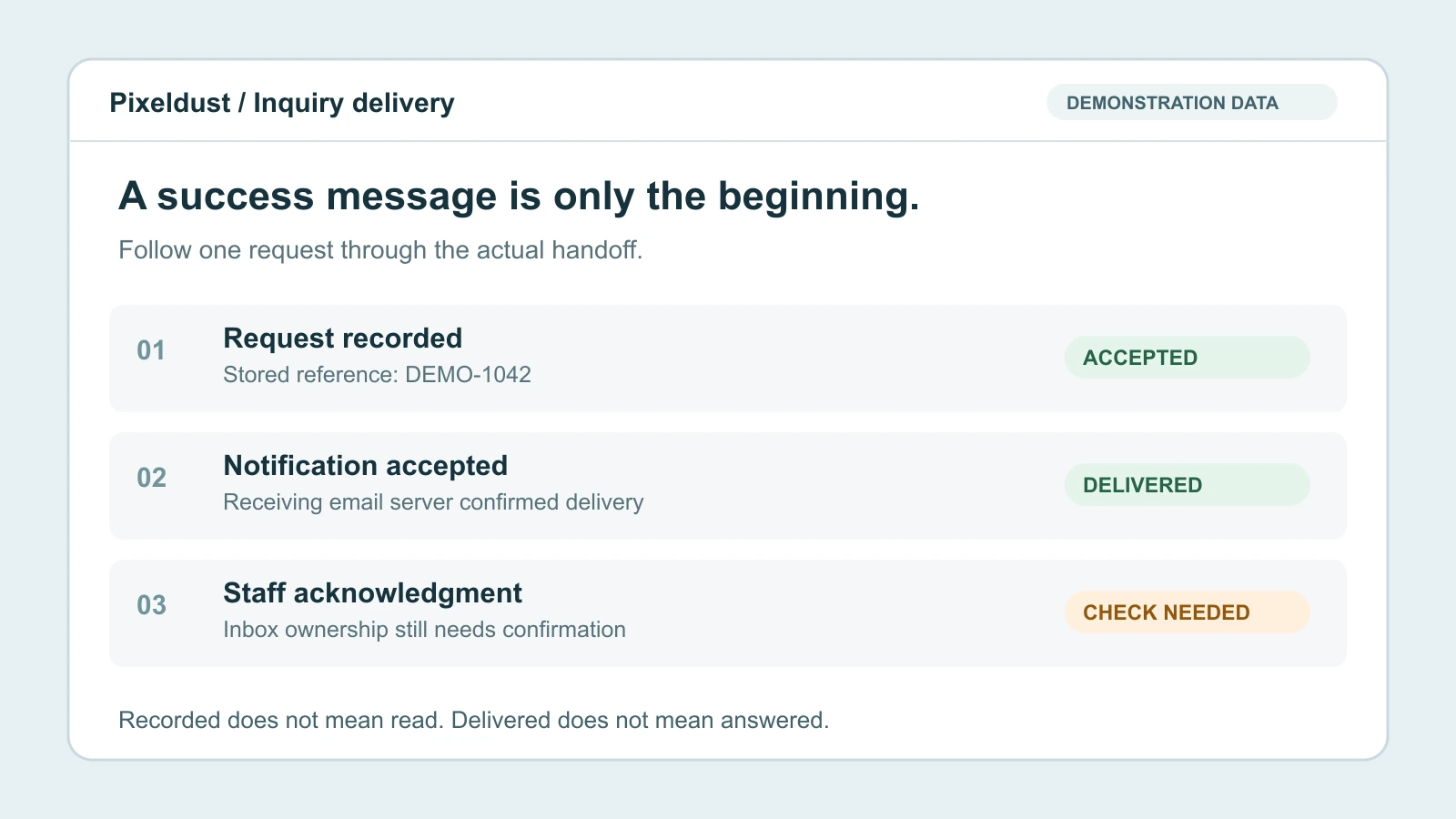
A customer presses Send, sees a reassuring message, and waits for a reply. Your team sees nothing. Before I recommend a new form plugin or an email service, I want to establish what the website actually accepted and where the request stopped.
That distinction saves time. A form can fail before submission, after the server receives it, or while a notification travels to the inbox. Replacing the visible form does not necessarily repair the missing handoff.
I follow one request from the customer's side
The Bryan–College Station Chamber's automobile repair directory shows a local market of repair and maintenance businesses. Consider a hypothetical independent shop using its website for service inquiries. This example does not describe a problem at any listed business.
A driver submits a question after hours. They should be able to tell whether the request was received and whether an appointment is confirmed. The shop needs the request in a place someone actually checks. A message saying “sent” establishes neither outcome by itself.
I begin with an agreed test submission containing a recognizable reference and no real customer details. I use the public production page on a phone, then inspect the response, any stored record, the notification event, and the destination inbox. That gives me a traceable example instead of several people checking unrelated test buttons.
Accepted, delivered, and answered are different states
The first question is whether the server accepted a valid request. If it rejected the submission, the customer needs a useful error and a chance to correct it. A green banner should not appear simply because a button handler finished running.
Next I check whether a submission record exists. Some hosted form services already provide that record; others rely entirely on email. I prefer a reliable recovery location when losing an inquiry matters, with access and retention appropriate to the information collected.
Then I inspect notification delivery. Postmark's delivery-webhook documentation describes delivery reporting at the receiving mail-server level. I still distinguish that from a staff member finding and reading the message. Filtering, mailbox rules, and routing can remain relevant after a provider reports delivery.
Finally, I ask who owns the response. A technically delivered inquiry can still disappear operationally if everyone assumes someone else handles the shared inbox. Repairing the form includes making that destination understandable to the business.
I check the sender identity before changing providers
A common configuration decision is whether the notification pretends to come from the customer's address. I would normally use an authenticated business sending identity and place the validated customer address in Reply-To. That lets staff reply naturally while keeping the actual sender under the business's control.
Google's sender guidance explains how authentication affects rejection and spam treatment. I review the chosen provider's SPF, DKIM, and DMARC setup and the message headers before concluding that a provider change is necessary. These checks must account for the business's other legitimate email senders.
I do not recommend copying DNS records from an unrelated example. The correct configuration depends on the real domain and services. The owner should retain access to the sending account, domain settings, and delivery history after the repair.
An email failure should leave a recoverable request
For our repair shop, I would decide what happens if the email provider is temporarily unavailable. A supported form platform might retain the submission and retry its notification. A custom implementation may need a stored request, a notification queue, and a visible failure status.
The customer confirmation should reflect the actual result. If the request was safely recorded, the page can acknowledge receipt and explain the next step. If nothing was accepted, the page should offer an honest failure message and a verified alternative contact route.
Retries also need a boundary. A driver may tap twice or reload after a slow response. I would use a stable submission reference and check how the actual platform handles duplicate attempts. Recovery should not create several apparently independent appointments or bury staff in repeat notifications.
Spam protection must leave room for real customers
I test the abuse controls alongside delivery. A rule can reduce noise while rejecting legitimate messages, and an inaccessible challenge can prevent someone from completing the form. I want the rejection behavior visible enough to investigate.
My test set includes a mistyped address, missing required information, a slow connection, repeated submission, and an unavailable notification service where the platform supports a safe test. I also check whether the confirmation implies a booking or turnaround time the shop has not agreed to provide.
Pixeldust Interactive's website contact form repair service covers this complete submission path. My recommendation may be a corrected recipient, supported mail configuration, or a small form repair. A rebuild earns its place only when the existing setup cannot be made dependable.
Ask for evidence of the repaired handoff
Before calling the work finished, I want a fresh production test after deployment. The reference should connect the customer result, stored record where available, notification history, correct inbox, and usable reply address. Someone responsible for the inbox should confirm that the details are sufficient to act.
Ask a provider where failed submissions are recoverable, who receives failure alerts, which accounts you own, and how the form will be checked after future changes. Compare the repair against the business's actual volume. A dependable supported form service can be enough; every local shop does not need a custom message pipeline.
I would measure missing inquiries, delivery exceptions, duplicates, and time to first useful response. Those results tell me more than a thank-you-page count. For College Station and Bryan businesses, the goal is simple: a customer who takes the trouble to contact you should reach a process your team can trust.
Tell me which form and inbox should be connected. I can help trace the failure and identify the smallest dependable repair.