Website design inspiration · Pixeldust field guide
8 Best Website Design Examples to Inspire Your Next Redesign
Good design earns attention. Great design gives that attention somewhere useful to go. Explore eight websites with ideas worth bringing into your next project.
Featured study: ICOMAT. Technical storytelling with a clear point of view.
Look beyond the first impression
What the best website designs get right
A striking homepage is only the beginning. A useful website helps someone understand the offer, trust the organization and decide what to do next. The strongest design inspiration comes from looking at those decisions together, not collecting attractive screenshots in isolation.
This collection spans engineering, software, retail and public services. These are Pixeldust’s design studies, not a claim that every site has won the same award or solves the same problem. Open the examples, notice how their information is organized and ask which ideas would help your customers.
A College Station service business does not need the scope of a global platform. It can still benefit from a clearer headline, stronger project evidence, a simpler mobile journey and a contact path that works.
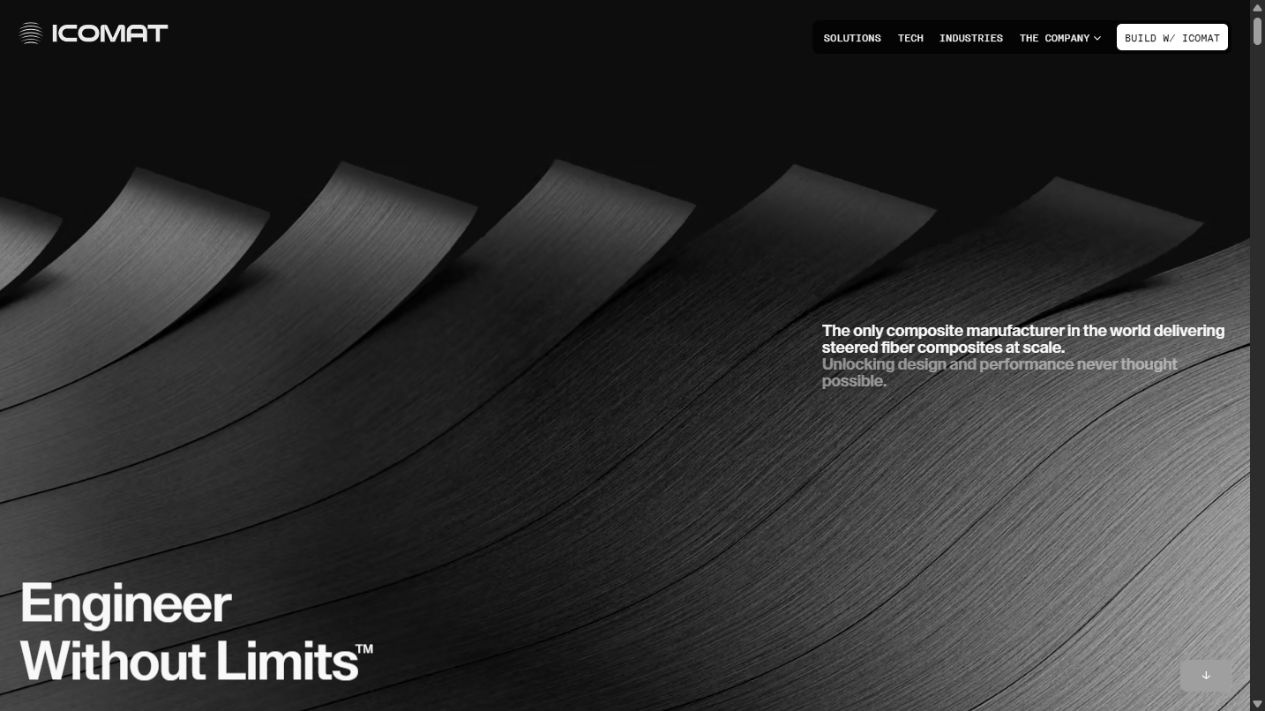
ICOMAT organizes its story around a manufacturing problem: conventional composite fibers run straight, while its process can steer them. The page introduces the technology, compares approaches and connects the idea to industrial applications. That sequence gives a technical buyer a reason to keep reading before asking them to contact the company.
What to learn from this website design
The useful design idea is the progression from problem to mechanism to application. An engineering website should explain what changes for the buyer, not merely display machinery.
Apply it to your own website
Pair a short explanation with a before-and-after diagram, then provide technical detail for visitors who need it. Keep that detail readable without requiring an animation to finish.
Linear brings product-development workflows into the marketing page itself. Issues, projects and activity appear as concrete interface examples rather than abstract promises about productivity. Navigation separates the product, customer evidence, pricing and documentation, giving different visitors a route that matches what they need to evaluate.
What to learn from this website design
Interface-led storytelling can make unfamiliar software easier to judge. A useful preview answers what the application actually looks like and how work moves through it.
Apply it to your own website
Show one realistic workflow with legible labels. Avoid shrinking an entire dashboard until it becomes decoration. A compact example with meaningful data is more useful than a wall of tiny controls.
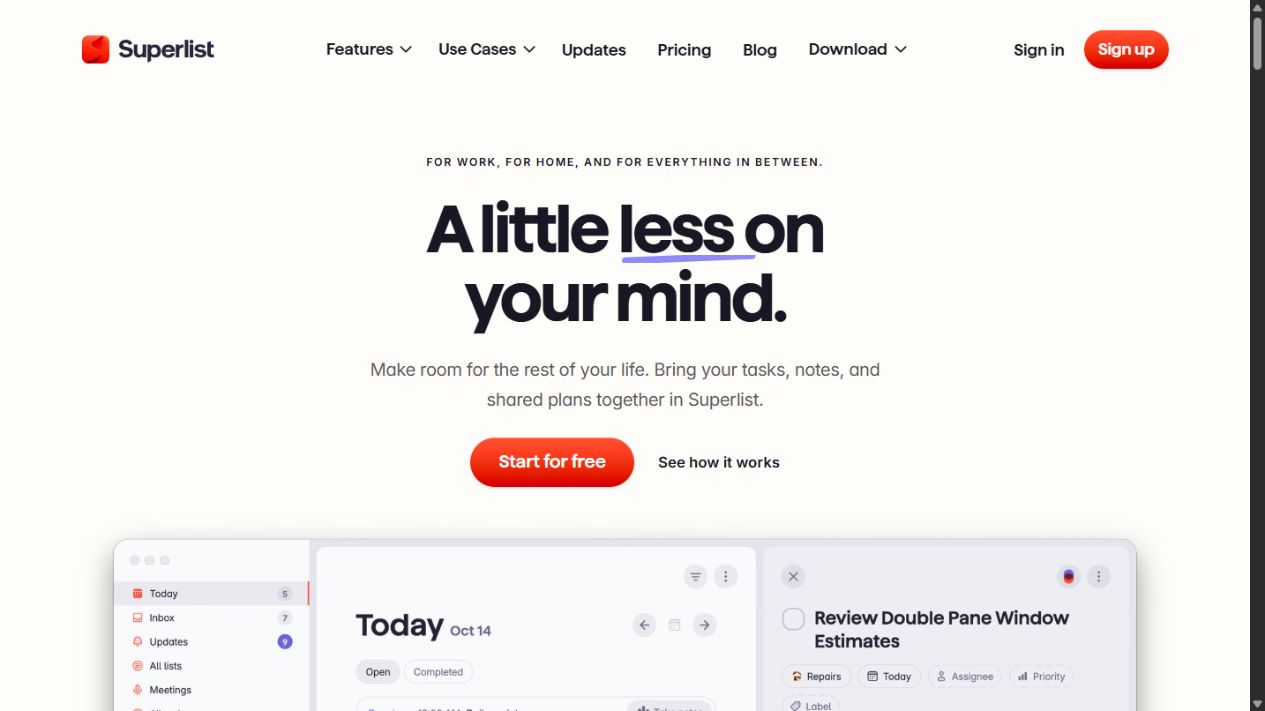
Superlist groups tasks, notes and plans around situations people recognize: organizing work, planning a day and keeping home responsibilities in order. Product imagery accompanies that framing, while sign-up and download paths remain part of the experience. The result offers a useful study in translating application features into familiar activities.
What to learn from this website design
People should not need to understand your internal product terminology before recognizing a use for the software. Concrete situations provide a better entry point than a feature inventory.
Apply it to your own website
Lead with two or three jobs the product helps someone complete. Put supporting features underneath those jobs. Keep the first action clear for visitors who are ready to try it.
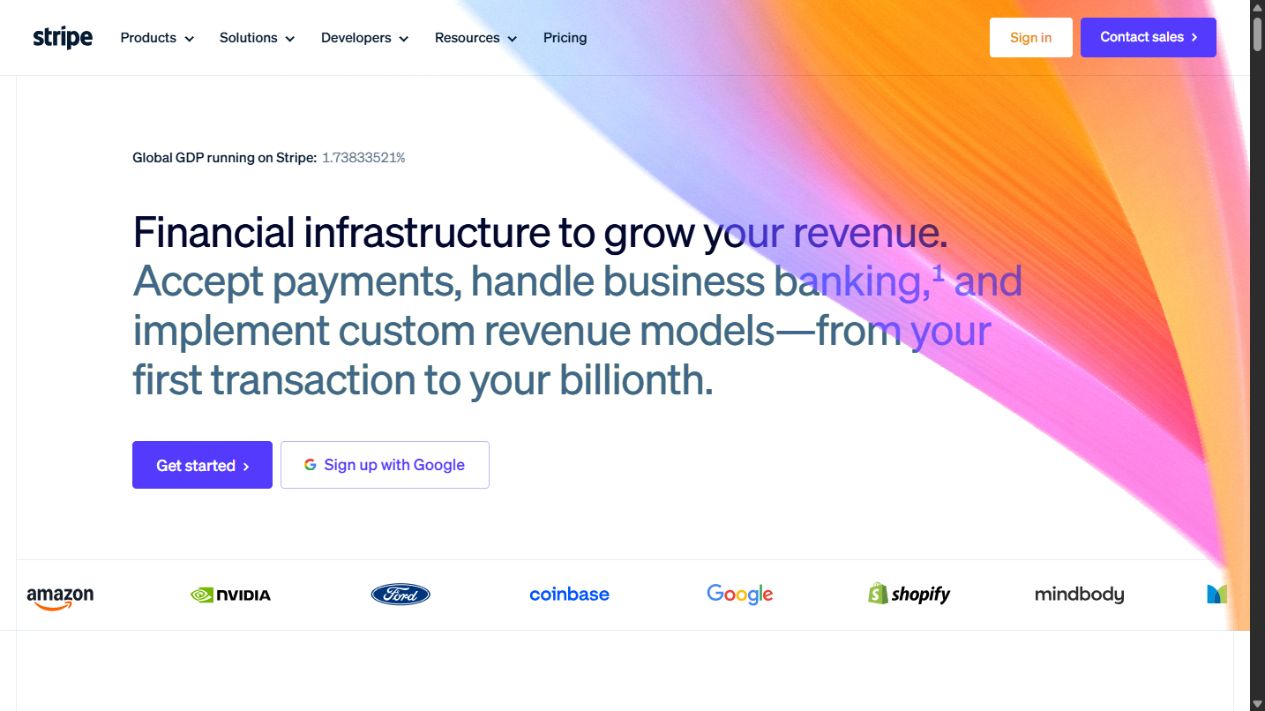
Stripe presents a broad set of payments and financial products through product, solution, developer and resource navigation. Customer stories sit alongside explanations of the platform. This is a useful example of organizing a large offering without expecting every visitor to follow the same sales narrative.
What to learn from this website design
A business buyer may need a customer example; a developer may need implementation information. Both should be able to find their next step without starting over.
Apply it to your own website
Organize navigation around genuine customer needs, then connect related technical and business pages. For a smaller company, a few well-named destinations can do this better than a sprawling menu.
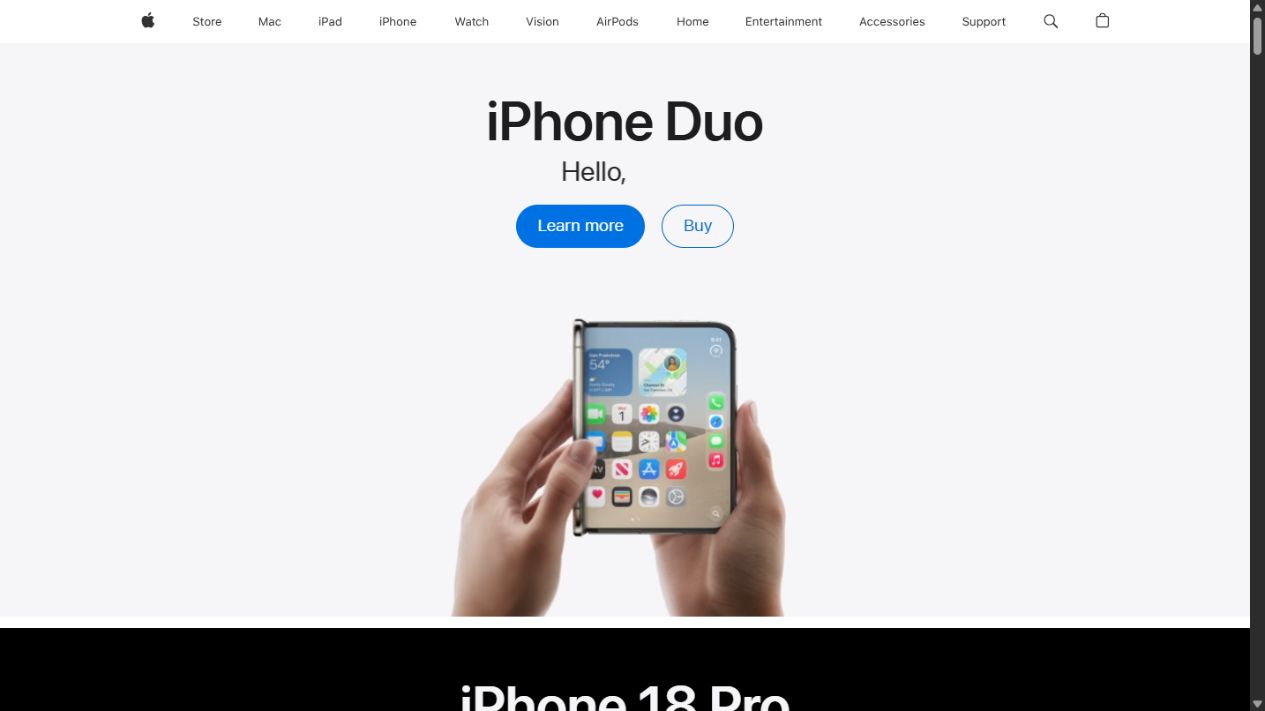
Apple’s homepage pairs prominent product imagery with short descriptions and distinct paths to learn more or buy. Product categories remain available through the global navigation. The structure separates browsing from purchasing without making either visitor work through a long introductory explanation.
What to learn from this website design
The lesson is not simply to use less text. It is to give a recognizable product enough visual room while keeping the next decision nearby.
Apply it to your own website
Use an authentic product image or a clear demonstration, then provide one research action and one purchase or inquiry action. If your offer is unfamiliar, add the explanation Apple’s audience may not need.
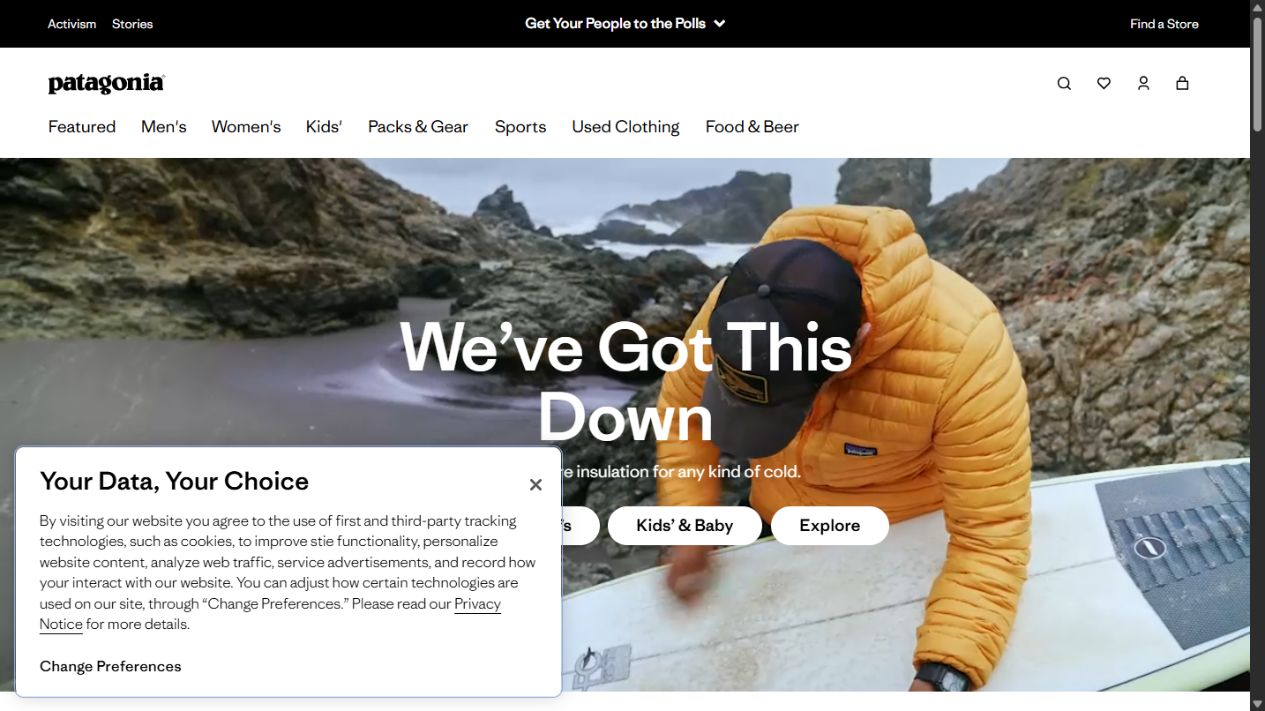
Patagonia gives shopping, stories and activism distinct places in its website. Product discovery sits within a broader content system that also includes repair and environmental topics. It is a useful example of a retail experience with more to say than a sequence of promotions.
What to learn from this website design
Editorial content can give a brand depth when it is connected to real practices and customer interests. The shopping route still needs to be understandable on its own.
Apply it to your own website
Build useful guides around how customers choose, use and care for your products. Link those guides to relevant categories. Keep brand storytelling grounded in work you can demonstrate.
Shopify divides its offering into recognizable business activities such as building a website, selling, marketing, running operations and getting paid. The site also provides distinct routes for developers and larger businesses. That organization is useful inspiration for any platform with more capabilities than one homepage can explain.
What to learn from this website design
Grouping by the visitor’s job can be more helpful than grouping by internal teams or product names. It lets someone locate their immediate problem before exploring the wider system.
Apply it to your own website
Choose a few task-based groups and give each a focused landing page. Resist adding every feature to the top navigation. Let the information architecture carry the complexity.
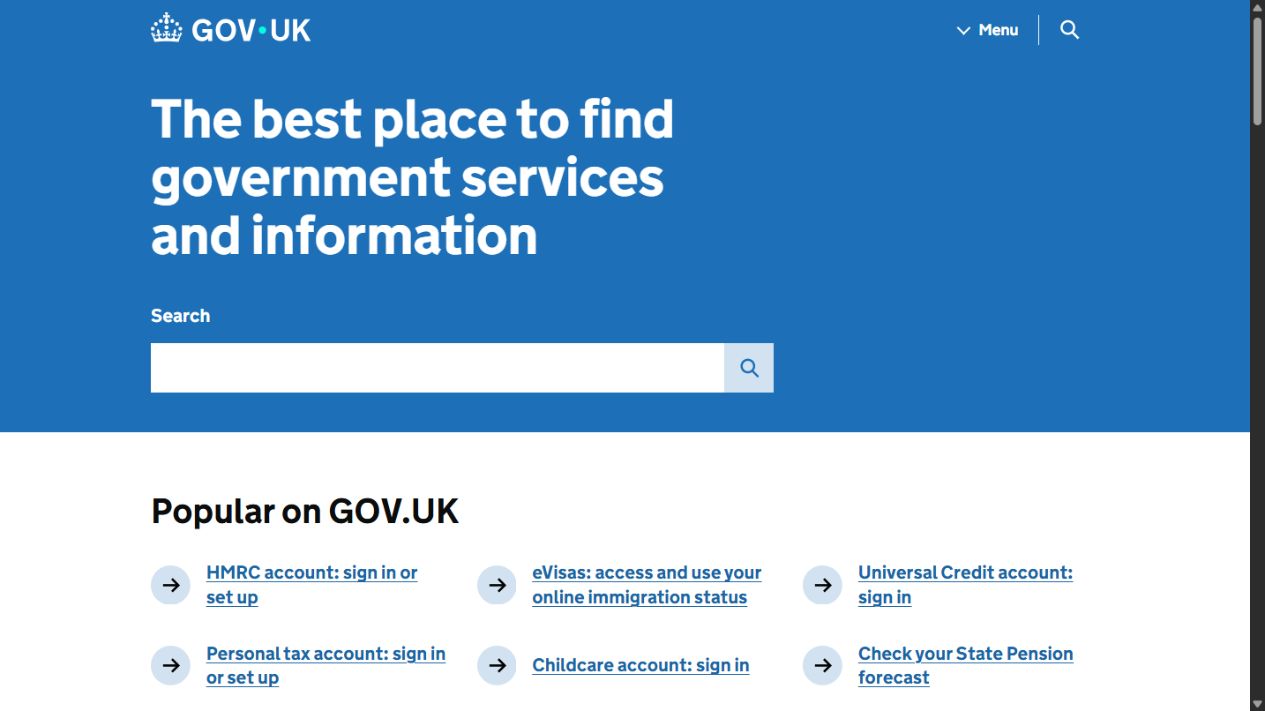
GOV.UK centers its homepage on search, popular tasks and clearly named service categories. It is a deliberately different kind of design inspiration: the value comes from helping someone locate information and complete a task rather than impressing them with a visual effect.
What to learn from this website design
A website can be memorable because it removes friction. Plain labels and task-focused organization deserve a place in a design shortlist alongside more expressive examples.
Apply it to your own website
Name pages in the language customers use. Make common tasks easy to find and keep instructions direct. For a service business, booking, eligibility, contact and next steps should never be a guessing game.
Website design ideas
Patterns worth bringing into your redesign
Show the thing you are selling
Product interfaces, real project photography and clear process diagrams reduce the amount of explanation a visitor has to imagine. Choose the image that answers a question, not the one that merely fills a rectangle.
Make typography establish priority
A useful type hierarchy distinguishes the promise, the evidence and the next action. Oversized headlines can help, but not when they push everything else below the fold or break into awkward fragments on a laptop.
Use motion to explain a change
Motion is most useful when it demonstrates how something works or guides attention between related states. Keep essential content available without it, respect reduced-motion preferences and avoid forcing visitors through a slow sequence before they can act.
Design the mobile task, not just the mobile layout
Stacking columns is not enough. Decide what a phone visitor needs first: a product, a booking action, an answer or a conversation. Keep controls easy to reach, allow normal scrolling and remove overlays that compete with the task.
Connect the page to the next step
A good inquiry path carries the visitor’s context forward. A product question should not dump someone into an unrelated form. For a conversation-led experience, explore how Maisy’s voice and chat assistant can support inquiries and customer questions.
From inspiration to a useful brief
A practical website redesign checklist
Define the customer action. Choose the outcome each important page should support: inquiry, booking, purchase, download or finding an answer.
Audit the existing content. Keep useful explanations and proven search landing pages. Identify missing evidence, unclear services and unnecessary duplication.
Choose references for a reason. Note the specific behavior you like, such as product comparison or navigation, rather than asking for an entire site to be copied.
Protect search visibility. Map old URLs, preserve relevant content, plan redirects and verify canonical URLs, titles, internal links and the sitemap.
Test real tasks. Check forms, keyboard navigation, mobile layouts, readable text, image loading and the path from an inquiry to a human response.
Plan ownership after launch. Decide who updates content, reviews inquiries and maintains integrations. The website needs to remain useful after the launch announcement.
It makes the content and next action clear for the intended audience. Visual identity matters, but so do accessible controls, readable text, working forms and a structure that helps people find what they came for.
Should a small business copy an award-winning website?
Use it to identify a useful principle, not to copy the finished design. A highly experimental portfolio may be appropriate for a creative studio but a poor model for someone trying to book an urgent repair. Start with your customers’ task.
Can WordPress, Drupal, Contentful or Shopify support a distinctive design?
Yes. The platform does not decide the quality of the design by itself. Content structure, front-end implementation and editing requirements all matter. Pixeldust chooses an approach around the project, including Contentful and headless Drupal where those fit.
Does a visual redesign improve SEO?
Not automatically. A redesign can improve content clarity, internal navigation and technical quality, but it can also damage visibility if useful pages disappear or URLs change without redirects. Search planning belongs in the project from the start.
How do I choose a website designer in College Station?
Look for relevant work, a clear process, direct answers about ownership and support, and an understanding of your business goals. Our College Station web design company comparison is a starting point for evaluating project fit.
Reference websites are linked with each example. Captures and editorial review: October 25, 2026. Website designs can change.
College Station web design · Custom software · AI
Turn good inspiration into a website that works for you.
Pixeldust connects design, content and development around the problems your business actually needs to solve. Tell us what your next website needs to do.